
|
Java Localization and Internationalization |
Java (Wikipedia) is a popular platform independent programming language. Soluling Desktop and Soluling Cloud support Java. Most Java applications use .properties files to store string resources. In addition to properties resources, most Java applications also use image files and can use any other file type. In most cases, you package the compiled Java code (.class) and the resources (.properties and images) into a single JAR file. Soluling lets you choose whether you localize the properties files or the JAR file. It is easier to localize a JAR file because the single file contains all the items that you need to localize.
The end of the document contains links to get the full source code of the samples. After reading this document, we recommend reading a tutorial about how to use Soluling.
Java applications are written in Java and compiled into Java byte code files (.class). When deploying, the compiled files and the other files needed by the application are stored in a single Java archive file (.jar). When you write a Java application, you place resource files into your project. The files are either string resource files that contain string values, media files such as images, or data files such as XML or JSON. Soluling can localize them all. Soluling lets you localize a Java application in two ways. The first is to localize the resource files. This is called resource file localization. The second is to localize the JAR file. This is called JAR file localization.
This localization method localizes the string resource file(s). A string resource file is the most important resource type. It contains strings used by the application. The resource file extension is .properties. When Soluling localizes a resource file, it reads the original resource file (e.g., messages.properties) and creates localized versions of that file. For example, if you localize into German, Soluling creates messages_de.properties. Finally, when you rebuild your Java application, the localized resource files get included along with the original, resulting in a multilingual JAR file.
 |
If you want to use resource localization, add a string resource file into the Soluling project. Once Soluling has created the localized files, recompile your application. |
This method lets you localize only the string resources that exist in the properties files, and it produces a multilingual application. If you want to localize other resources, such as images, or you want to create a localized application that supports only one language (for example, to make the application files smaller), use the JAR file localization.
When Soluling localizes a Java application, it reads the original JAR file and creates localized versions of that file. The JAR file contains all the resources that need to be localized. The most important for localization are the string resources (.properties files) that contain the strings used by the application. In addition, a JAR file can contain images, XML, JSON, or any custom resources. Soluling can localize them all.
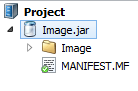 |
If you want to use JAR file localization, add the JAR file into the Soluling project. Once Soluling has created the localized JAR files, they are ready to be deployed. |
Soluling can create two kinds of output from a JAR file. It can create localized JAR files, one for each language, where the localized resources replace the original ones. Or it can create one multilingual JAR file that contains the original resources and the localized resources (e.g., messages_de.properties) of all the languages in the project. A multilingual JAR file is easy to deploy because all users get the same file. Localized JAR files are smaller, which matters if you localize large images or other media files.
The following table shows some pros and cons of each localization method:
| Method | Pros | Cons |
|---|---|---|
| Resource |
|
|
| JAR |
|
|
A properties file (Wikipedia) is used to store string resources of a Java application. Each line contains a key and a value. The following resource file, messages.properties, contains one string resource. The key of the resource is hello, and the value is Hello World.
hello=Hello World
Soluling reads the original properties file and extracts the strings. When building, Soluling creates the localized properties files. There is one output file for each language. For example, if messages.properties contains the original English strings of our Java application and we localize the application into German, Soluling creates messages_de.properties that contains the same keys as the original file, but the values are in German.
Note! Before Java 9, properties files had to use the ISO-8859-1 encoding, and other characters were written as \uXXXX escapes. Starting from Java 9, ResourceBundle reads properties files as UTF-8. Use the Format sheet to specify how Soluling writes the localized files, so that they match the Java version your application uses.
A JAR file (Wikipedia) is a deployment package of a Java application. The file itself is a compressed zip file that contains all the files that the application needs. You start localization by creating a new Soluling project that contains the JAR file. Soluling reads the file and extracts the resource items. When building, Soluling creates localized JAR files, one for each language, or one multilingual JAR file that contains resources in many languages.
Java applications load the string resources with ResourceBundle. Pass the base name of the properties file to getBundle.
ResourceBundle res = ResourceBundle.getBundle("Driving.messages");
String title = res.getString("Title");
By default, getBundle uses the default locale of the Java runtime. For example, if the default locale is German (Germany), Java looks for messages_de_DE.properties, then messages_de.properties, and finally uses the original messages.properties. If you want to use a specific language, pass the locale.
ResourceBundle res = ResourceBundle.getBundle("Driving.messages", Locale.forLanguageTag("fi"));
You can also change the default locale of the Java runtime when you start the application, for example, java -Duser.language=fi -jar Driving.jar.
 Desktop process
messages.properties) or the JAR file on Soluling, or click the New from File or Files button and select the file.messages_fi.properties). For a JAR file, Soluling creates the localized or multilingual JAR files.When you change the original file, open the Soluling project and choose Home | Scan. Soluling keeps the existing translations, and you only translate the strings that were added or changed.
 Cloud process
With Soluling Cloud, you localize the properties file in your browser: upload the file, translate it in Translate, and download the localized files. You need a Soluling account. See the available Cloud plans.
messages.properties), or drag and drop the file onto the page. Click Create.Click the project's green Translate button on the dashboard. Translate opens the project, and you can type the translations into the grid. Machine translation suggestions, translation memory, and spell checking are available there. You do not have to finish every language before moving on to the next step.
messages_fi.properties.Then rebuild your application so that the localized files are included in the JAR file.
When you change the strings, upload the new properties file, translate what is new or changed, and download the localized files again. On the dashboard, click the project's Update file button (the upload arrow), select the new file or drop it onto the page, and click Update. Existing translations are kept, so you only translate the strings that were added or changed.
If you localize a JAR file, create the project in Soluling Desktop, upload it to Soluling Cloud (Translate tab, Configure Cloud), translate it in the cloud, and then import the translations with Import from Cloud and build the localized JAR files in Soluling Desktop. See the Cloud tutorial.
Standard Java code uses the String.format function. It is not plural enabled, but fortunately Soluling contains a plural enabled format function for Java.
If you use the standard format function, you might have something like this
str = String.format("%d files", count);
Replace "%d files" with a plural pattern, add it into the properties file, and give it the MessagePlural name.
MessagePlural={plural, one {%d file} other {%d files}}
Then use Soluling's Plural.format function instead of String.format. The modified code is
import soluling.Plural;
...
str = Plural.format(res.getString("MessagePlural"), count, count);
The first count selects the right plural form, and the rest of the parameters are passed to the format string. Tell the function the active language with Plural.SetLanguage. The soluling.Plural class is found in <data-dir>\Library\Java\soluling\Plural.java. Add <data-dir>\Library\Java to the class path when you compile.
See the <data-dir>\Samples\Java\Plural sample.
GitHub and <data-dir>\Samples\Java contain the following source code samples:
| Directory | Description | Notes |
|---|---|---|
| Driving | A sample that shows how to localize a Java application. | Try this first! |
| Image | A sample that shows how to localize images. Localized to Finnish and Japanese. | |
| Plural | A sample that shows how to use plural messages. | |
| Format | A sample that shows how to format abbreviated numbers. | |
| Number | Another abbreviated number sample. | No Soluling project |
| XMLBundle | A sample that stores the strings in an XML properties file and loads them with a custom ResourceBundle. | No Soluling project |
| Test | Test projects that contain properties files. |
Each sample contains src and bin directories, and the Soluling project is in the source directory, for example, src\Driving\messages.ntp. Driving, Image, Plural, and Test contain compile.bat to compile the sample and a batch file to run it.
You can configure how to localize your Java application by selecting the item in the project tree, right-clicking, and choosing the Options menu. A source dialog appears that lets you edit the options. This source uses the following option sheets.
 Copyright © 2016-2026 Soluling Oy